QR Code Surveys: Collecting Customer Feedback at Checkout and In-Store
While website surveys are powerful for digital businesses, physical locations need a different approach. Our companion offering, PollQR™ lets you create in-store QR code surveys that customers can scan and complete in-store. Ideal for restaurants, cafes and service businesses.
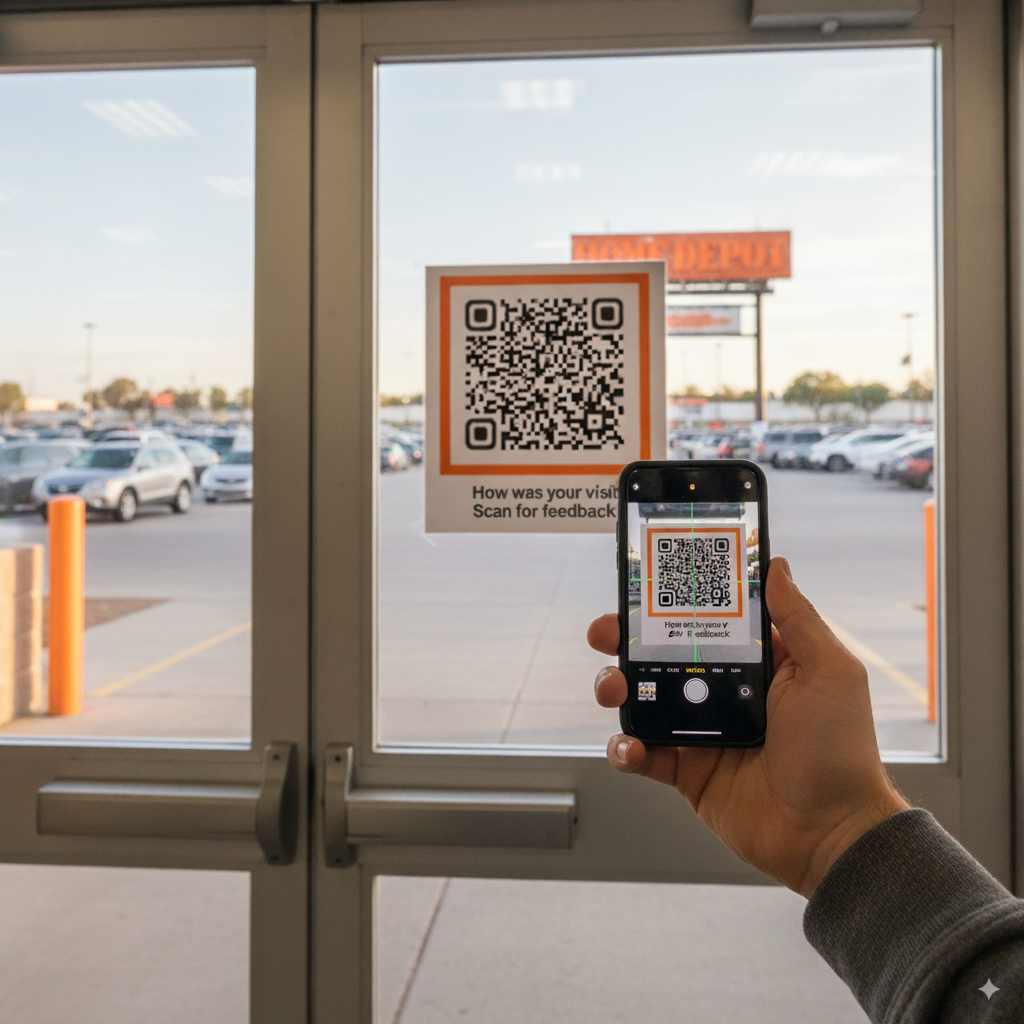
The Physical Feedback Gap
Digital businesses have it easy when it comes to customer feedback. A website visitor's entire journey can be tracked, analyzed, and surveyed at exactly the right moment. But what about the coffee shop, the retail store, the dentist's office, or the hotel?
Physical locations have traditionally relied on:
- Comment cards — Low response rates, illegible handwriting, delayed processing
- Email surveys — Sent hours or days later when the experience has faded
- Online reviews — Biased toward extreme experiences, public and permanent
- Mystery shoppers — Expensive, infrequent, and not representative
QR code surveys bridge this gap by bringing the convenience of digital feedback to physical spaces.
What Are QR Code Surveys?
A QR code survey is exactly what it sounds like: a survey that customers access by scanning a QR code with their smartphone. No app download required—the survey opens directly in their mobile browser.
How it works:
- Customer scans QR code with phone camera
- Mobile-optimized survey loads instantly in browser
- Customer answers 2-3 quick questions
- Feedback is collected and organized automatically
- Business receives real-time alerts for critical feedback
The entire process takes under 30 seconds, and because customers are still in your location, their feedback is immediate and accurate.
Where to Place QR Code Surveys
The placement of your QR code dramatically affects response rates. Here are the most effective locations:
At Checkout / Point of Sale
The moment of transaction is perfect for feedback. Customers have completed their experience and have a natural pause while paying.
- • Receipt paper with QR code
- • Counter tent cards
- • Payment terminal display
- • Checkout counter sticker
On Tables (Restaurants, Cafes)
Diners often have downtime waiting for food or after finishing their meal. Table placement catches them at these moments.
- • Table tent cards
- • Menu inserts
- • Bill presenters
- • Tabletop stickers
Product Packaging / Tags
For retail products, include a QR code that customers can scan after purchase to share their experience.
- • Product hang tags
- • Inside packaging
- • Instruction manuals
- • Warranty cards
Service Areas (Healthcare, Hospitality)
Place QR codes where customers naturally spend time waiting or relaxing.
- • Waiting room signs
- • Hotel room keycards
- • Bathroom mirrors
- • Exit doors
Why QR Code Surveys Beat Traditional Feedback Methods
Immediate Capture
Feedback is collected while the experience is fresh, leading to more accurate and detailed responses.
Higher Response Rates
Scanning a QR code takes seconds. No need to find a pen, remember to check email, or navigate to a website.
Real-Time Alerts
Get notified instantly when a customer reports a problem, while they're still on premises and you can fix it.
Location Tracking
Different QR codes for different locations let you compare performance across stores, tables, or departments.
Private Feedback Channel
Unhappy customers can share feedback privately instead of posting negative public reviews.
Zero Paper Waste
No comment cards to print, collect, transcribe, or recycle. Better for the environment and your operations.
Best Practices for QR Code Surveys
Keep Surveys Short
Mobile users are impatient. Aim for 2-3 questions maximum. A single NPS question followed by "What could we improve?" is often enough.
Make the QR Code Prominent
Don't hide your survey. Include a clear call-to-action like "How was your visit? Scan to let us know" along with the QR code.
Consider Incentives (Carefully)
A small incentive can boost response rates: "Scan for a chance to win a $50 gift card" or "Get 10% off your next visit." Just be careful not to bias responses toward positivity.
Act on Negative Feedback Fast
The magic of in-location feedback is the ability to recover. When someone reports a problem, you may have minutes to make it right before they leave.
Train Your Staff
Let employees know about the feedback system. Some businesses have staff verbally invite customers to share feedback, which can significantly increase participation.
QR Code Survey Use Cases by Industry
Restaurants & Cafes
Table tents asking about food quality, service speed, and overall experience. Real-time alerts to managers when ratings drop.
Retail Stores
Checkout surveys about product selection, staff helpfulness, and store cleanliness. Compare performance across locations.
Healthcare
Patient satisfaction surveys in waiting rooms and exam rooms. HIPAA-compliant feedback collection without paper forms.
Hotels & Hospitality
In-room QR codes for housekeeping feedback, check-out satisfaction, and amenity requests. Catch issues before they become negative reviews.
Events & Conferences
Session feedback via QR codes on presentation slides or badges. Real-time speaker ratings and improvement suggestions.
Gyms & Fitness
Equipment satisfaction, class feedback, and facility cleanliness surveys. Posted near equipment or at front desk.
Website Surveys vs. QR Code Surveys: Which Do You Need?
If you're reading this blog, you might be wondering how QR code surveys relate to Popsee's website surveys. Here's the simple breakdown:
| Use Case | Best Tool |
|---|---|
| Feedback from website visitors | Popsee (website surveys) |
| Feedback from SaaS product users | Popsee (website surveys) |
| Feedback from in-store customers | PollQR (QR code surveys) |
| Feedback from restaurant diners | PollQR (QR code surveys) |
| Feedback at physical events | PollQR (QR code surveys) |
| Post-purchase product feedback | PollQR (QR code surveys) |
Many businesses use both: Popsee for their digital presence and PollQR for their physical locations.
Get Started with QR Code Surveys
Ready to start collecting customer feedback at your physical locations? PollQR makes it simple to create beautiful, mobile-optimized surveys with unique QR codes for each location.
Try PollQR for QR Code Surveys
Create unlimited surveys with custom QR codes. Perfect for retail, restaurants, healthcare, and any physical location.
Visit PollQR.com →